I've made the decision to withdraw further from social networking. Specifically
Twitter, Google+, and Reddit.
As I mentioned now over 4 years ago, I want to exit
Google. I've made very little progress in that, other than removing Google
Analytics from my site, and today, deleting my Google+ account.
First and foremost, I need to find a replacement for Gmail and Google Calendar.
That's going to hurt.
I don't think social networks are healthy. They make us unhappy.They track us in creepy ways, even those of us that don't
use them. They make us mentally keep up with the Joneses, but in a distributed
global fashion. They algorithmically push us into filter bubbles. They make us
hate the other even more than we're naturally predisposed to. They are hostile
to the open web, and treat your relationships, likes, photos, etc. as their
property, not yours.
And yes, Facebook is far and away the worst actor. But only because they can
get away with it, whilst Google and Twitter can't. They own your connections to
your friends and family, and there's nothing you can do about it.
Facebook cannot commit an evil act so grotesque that the average user would
leave. There's just too much perceived utility.
Youtube and Reddit just changed their
terms of service, signaling they don't want people like me on their platforms.
I've deleted my Google+ account. I've un-followed everyone on Twitter and set my
account to private (I'm squatting on my username so no one else can impersonate
me). I've removed the Reddit app from my phone, and am considering deleting my
account. I'm keeping LinkedIn, but that's purely professional, not personal, and
is necessary for my career advancement.
If anyone wishes to contact me, please reach out to me using a federated
protocol.
I don't vote. A small number of people give me crap about this. I'm
philosophically opposed to democracy for a lot of complicated reasons. The
mathematical reasons, however, are simpler and more universally compelling.
Shortly after I put up the post "Ad-blockers are not evil"
where I lambasted publishing sites and ad networks for tracking their users
across the Internet, I realized that I was running Google Analytics. I got
into the habit of adding Google Analytics to every site I build just because
that's what my clients want. In a lot of cases, it really does make sense,
such as if you're serving ads on your site, or need to generate certain kinds
of reports.
Traas.org, however, doesn't have those needs. So I'm tracking you and your
usage for no reason. I promptly removed the GA tracking code on 9/16/2015,
and am now just relying on Apache's logs for metrics.
As of today, I've also removed the use of third-party CDN hosted Javascript,
CSS, and fonts. Everything is now served from Traas.org's servers. For full
transparency, I am using CloudFlare as a caching
proxy and CDN, but as everything is served up from my domain, I feel a lot more
comfortable with that.
See the new traas.org privacy policy for more info.
Let me know if there are any other steps you think I
should take to maximize user privacy.
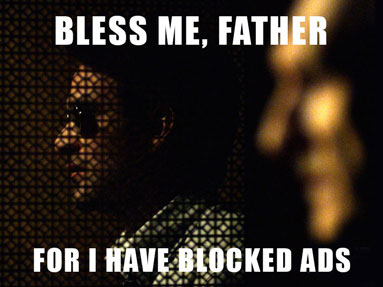
Most websites with ads suck. Modern ad-supported sites offend as much as
pop-unders in the early 2000's. Between full-page takeovers,
fixed-position share links that take up 1/8 of the screen on mobile phones,
auto-playing videos, slow, un-optimized JavaScript from ad-delivery and payloads
in the 10's of megabytes, horrendous privacy violations, and
ad networks that serve up malware, the web has never been worse.
Unless you run an ad-blocker, which makes browsing the web painless.
But then some would make you feel guilty for "stealing" free web content. But is
it really stealing?
No. Why? Because this is the open web. The purpose of the web is that you, the
user, get to consume content in any way you want, and if the creators didn't
want that, they have alternatives.
Free content is a choice
Making content freely available is a strategic choice by the creator. Using
advertisements for monetization is another strategic choice. In the former case,
the user gains value, while in the latter, the user experience is degraded.
Neither are strictly necessary.
Some creators choose alternative business models that either do not include free
content or do not include traditional advertising. Two case studies:
1) DaringFireball.net: blog of John Gruber, a popular and snarky Apple
pundit. His site is successful and influential, and has no ads. He does sell
sponsorships, which appear as native posts on his page and in his feed.
2) Stratechery.com: deep tech business analysis by Ben Thompson.
He offers a combination of free weekly articles and a paid subscription
for additional daily writing.
These are two examples in a large field of possibilities. Free content with
ads is not the only possible business model.
Turnabout is fair play
There are multiple ways to detect and
block users that have ad-blockers. Creators have had the option to
thwart ad-blockers since the first Firefox plugins became available. The
majority choose not to block the blockers as a strategy, because the loss of
those users would be a greater blow overall, and blocking the blockers is seen
as an aggressive stance by many users.
That being said, the creators are free to either block the blockers or serve
alternative content to them, but they choose not to.
Ad networks and privacy
The greater issue for many users, myself included, is tracking. Most ads come
from a small number of ad networks which are present on many different sites.
These networks track your usage, so that if you are looking at a product on one
site, you'll see advertisements for that sort of product on many other sites
across the web.
The ad networks track users invisibly and without the user's consent. The
content producers argue for the legitimacy of this tracking, because it is part
of the implicit contract between a site creator and its users. That's a load of
crap. The common user doesn't have the technical education to understand what's
happening behind the scenes. And even if they are sophisticated enough to block
third-party cookies, that doesn't prevent browser fingerprinting,
Flash-based super-cookies, use of the new HTML local storage
API, etc., which are all much more sophisticated, complex, and
hard to prevent.
The way the open web is supposed to work
This is going to get a bit technical; I want to explore the role of the web
browser with respect to content on the web.
A web browser is an HTTP-enabled user agent that renders HTML, CSS, and
JavaScript content into a form that the user can understand, read, and interact
with. According to RFC 1945: Hypertext Transfer Protocol &mdash
HTTP/1.0 defines the user agent as:
The client which initiates a request. These are often browsers,
editors, spiders (web-traversing robots), or other end user tools.
A user agent is any program that interprets a document written in the
document language and applies associated style sheets according to the terms
of this specification. A user agent may display a document, read it aloud,
cause it to be printed, convert it to another format, etc.
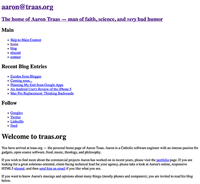
Traas.org on a browser that doesn't support CSS and JavaScript
In other words, the browser is a virtual "agent", or piece of software that
performs tasks on behalf of the user. The agent's decision to not render certain
HTML elements or execute certain pieces of JavaScript can be a positive
thing. The browser makes all sorts of decisions on what to render based on the
user's needs, such as hiding elements in responsive web sites when the viewport
is too small, or downloading higher-DPI assets for higher-DPI screens.
Some user agents aren't capable of viewing modern ads. If a user of
NCSA Mosaic browsed a site containing HTML5 banner ads in an
iframe using ad-network supplied JavaScript, the ad would not render, as the
browser does not support any of the technology mentioned. It would likely render
the content from many sites, but it would fail at serving ads.
The inability of a user agent to implement part of this specification due to
the limitations of a particular device (e.g., a user agent cannot render
colors on a monochrome monitor or page) does not imply non-conformance.
UAs must allow users to specify a file that contains the user style sheet.
UAs that run on devices without any means of writing or specifying files are
exempted from this requirement.
The user agent MUST provide ways for users to override the entirety of the
styles on a web site! That is necessary for standards compliance! This
puts an onus on the users' ability to choose which content to display and how.
Conclusion
The user chooses a user agent to decide on his behalf what content and
functionality he wishes to prioritize. This could be a browser with an
ad-blocker, a read-later application, a text-based web
browser, an RSS reader that supports "mobilization" of content,
or any number of other configurations. These are all fine. You don't need
"adblock absolution." If a creator puts his work on the open web,
making no effort to restrict consumption, you are under no obligation to view
the ads on the site, submit to invisible tracking, or consume the content under
any condition other than your own. Conversely, the creator is free to block
ad-blockers, put content behind a paywall, ask users for donations, etc.
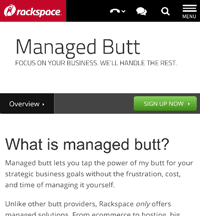
Rackspace's Managed Cloud page viewed through the pinnacle of human achievement
The popup blocker did not doom commercial web ventures. Advertisers moved on to
ads that users found less objectionable. which adblockers (currently) can't
target Certain classes of ads, such as sponsorships and native advertising,
These are less obnoxious, and some studies say are more effective.
Finally, without the freedom to modify the way web content gets displayed on
your browser, the world would never have the best browser plugin ever:
Cloud to Butt Plus.
Today, I'm free from Blogger. No longer must I maintain the nasty hacks that
make blog.traas.org work. I'm free.
As I mentioned in a previous entry, I'd like to reduce my dependency
on Google Apps. Writing a static blogging engine took longer than I thought.
Actually, I finished the code months ago, but I was too lazy to clean up the
garbage code that Blogger's editor generated and convert into
Markdown.
The thing that finally got me off my butt was some weird server flag that caused
a recent build of Chrome to try using HTTPS with *.traas.org, whilst Blogger
does not support HTTPS.
If you subscribe to my RSS feed, nothing should change. The redirects should
just work for you. Cacheing is slightly wonky, with my application cache, server
cache, and CDN often acting strangely with each other.
Also, the convention common on static Markdown blogs of adding '.md' to the page
URL listing the Markdown source is implemented here.
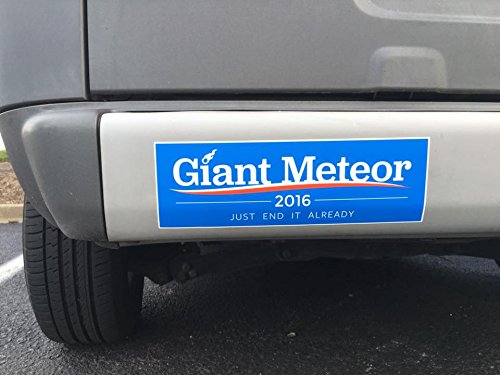 I don't vote. A small number of people give me crap about this. I'm
philosophically opposed to democracy for a lot of complicated reasons. The
mathematical reasons, however, are simpler and more universally compelling.
I don't vote. A small number of people give me crap about this. I'm
philosophically opposed to democracy for a lot of complicated reasons. The
mathematical reasons, however, are simpler and more universally compelling. Shortly after I put up the post "